|
|
Title:
|
|
Programming Practices (Introduction to System Programming)
|
|
|
|
|
|
Instructor:
|
|
Cezar Câmpeanu
|
|
|
|
|
|
Email:
|
|
ccampeanu < at > upei < dot > ca
|
|
|
|
|
|
Office:
|
|
CASS 408
|
|
|
|
|
|
Tel:
|
|
(902)566-0485
|
|
|
|
|
|
Textbook:
|
|
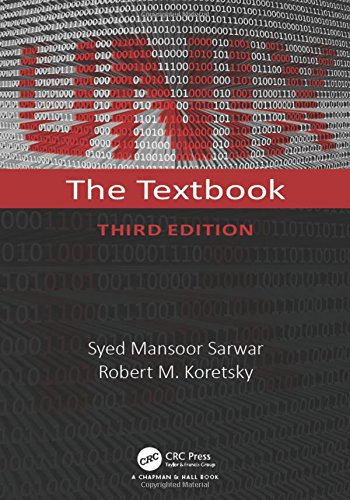
Unix: The Textbook, 3/E /2/E by Syed Mansoor Sarwar, Robert Koretsky, and Syed Aqeel Sarwar,
Publisher: Addison-Wesley
2009 ISBN-10: 0321490886 ISBN-13: 9780321490889
or 2005
ISBN-10: 032122731X
ISBN-13: 9780321227317
|
|
|
|
|
|
|
|
|
|
|
|
|
|
Course web site:
|
|
Go To: http://www.smcs.upei.ca,
Then follow the links: Faculty, Cezar Câmpeanu, Personal webpage, Teaching, and CS2820 under Fall 2026,
|
|
|
|
|
|
:
|
|
This course introduces the student to development tools, system programming, elementary networking in the UNIX environment, and C/C++ programming from the perspective of a second language. Topics include shell programming, debugging, editing, file and directory management, C and C++ programming and programming tools, the X-window system, inter-process communication and basic TCP/IP networking. This course provides the fundamental tools necessary for software development in the advanced Computer Science courses.
|
|
|
|
|
|
Prerequisite:
|
|
CS 1920
|
|
|
|
|
|
Time and Location:
|
|
4:00-5:15, Main 432
|
|
|
|
|
|
Office Hours:
|
|
Wednesday 11:30-12:30 or anytime by appointment (please send email-)
|
|
|
|
|
|
Topics Include:
|
|
- Fundamental UNIX commands and utilities
- C language;
- C programming tools under UNIX (make, sccs, debugger)
- Utility programs (for power users), data manipulation using filters
- C Shell programming (scripts)
- Systems programming and inter-process communications
|
|
|
|
|
|
Quiz Tests:
|
|
#1 Thursday, October 8 4pm (during class -- 15 min max)
#2 Thursday, October 29, 4pm (during class -- 15 min max)
#3 Thursday, November 12, 4pm (during class --15 min max)
#4 Tuesday, November 24, 4pm (during class -- 15 min max)
|
|
|
|
|
|
|
|
Midterm Tuesday, November 17, 2026
|
|
|
|
|
|
|
|
|
This course is committed to the principle of academic integrity. Submitted work is expected to reflect an individual effort. Copying or cheating on assignments or tests will be dealt with harshly. Students should read Academic Regulation 20 in the UPEI Calendar at page 113 (http://files.upei.ca/calendar.pdf or online Academic Integrity).
|
|
|
|
|
|
|
|
The following link will help you to maintain academic integrity and avoid plagiarism https://library.upei.ca/ai/home.
|
|
|
|
|
|
|
|
You are expected to write your own code, your own proofs, your own examples, and so on. Unless explicitly specified in the assignment's text, the submitted work should be all yours.
|
|
|
|
|
|
|
|
Failing to obey all academic integrity rules may result in 0 in that assignment/test or the whole course.
|
|
|
|
|
|
|
|
For some/all assignments/moodle resources and exams you may have to earn one or more academic integrity badges.
|
|
|
|
|
| |
|
Grading scheme:
|
| Assignments
|
Quizes
|
Midterm Examination
|
Final Examination
|
| 5%
|
30%
|
30%
|
35%
|
|
|
|
|
|
Course Resources:
|
- Assignments
- Handouts
- Tentative Schedule
- Moodle login
- Assignment Policy
- Virtual Machine
|
|
|
|
|
Important Notices:
|
Please, check course web site periodically for updates. To view ps documents, you can download Aladdin Ghostview or another free viewer. To view PDF documents,you can download Adobe Acrobat Reader from Adobe site. For operating system like Linux, the viewers are included into the distribution (everything is free and very reliable - for pdf files, please use gv or acroread, rather than xpdf). On Solaris workstation, you can download the files and view them with acroread (pdf) or ghostview (ps). To view them in your browser, you must enable the plug-in (Edit - Preferences - Navigator - Applications, select Portable Document Format (Postscript Document), Edit, click Application, and choose Acrobat, then click ok, and ok). For any problems concerning the CS2820 pages, please contact me.
|
|
|
|
|
Note:
|
Second year students and up that are interested in marking, please check with our administrative Assistants
|
|
|
|
To make sure you are viewing the most recent version of this page,press the shift key while clicking on the Reload button.
It is your responsibility to check this page for updates.
It is your responsibility to check this page for updates.